
Facebook Lead Ads to Google Sheets Sync Guide

You can sync Facebook Lead Ads to Google Sheets automatically by connecting your Facebook Page to Auto-Respond once and adding a Zap that writes each new lead as a spreadsheet row. The lead can get a confirmation in under 2 seconds. This matters more than it sounds, because Meta deletes lead data 90 days after submission.
Want every Facebook lead logged in Sheets and answered instantly? Try Auto-Respond free and connect your Facebook Page in under 2 minutes.
How to Sync Facebook Lead Ads to Google Sheets Automatically
The automatic route has two parts: Auto-Respond captures every lead from your Facebook Page, and a Zap on your Zapier account writes it to the sheet. Five steps:
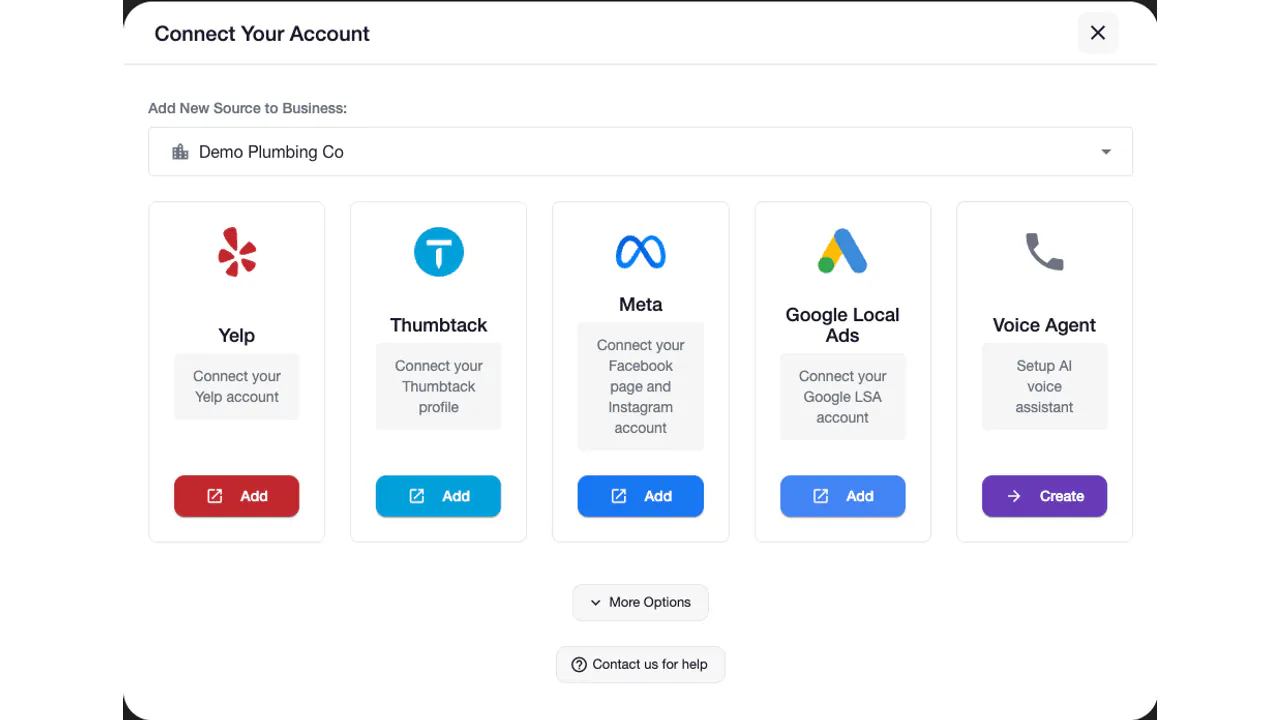
- Connect your Facebook Page. In Auto-Respond, open Sources and click Add Facebook Lead Ads. Meta’s OAuth flow handles the authorization. No webhook code, no token exchange, no leadgen API subscription.
- Activate your Pages. Each Page you activate becomes its own source. Field mapping is automatic. Name, phone, email, and custom questions are captured on every submission.
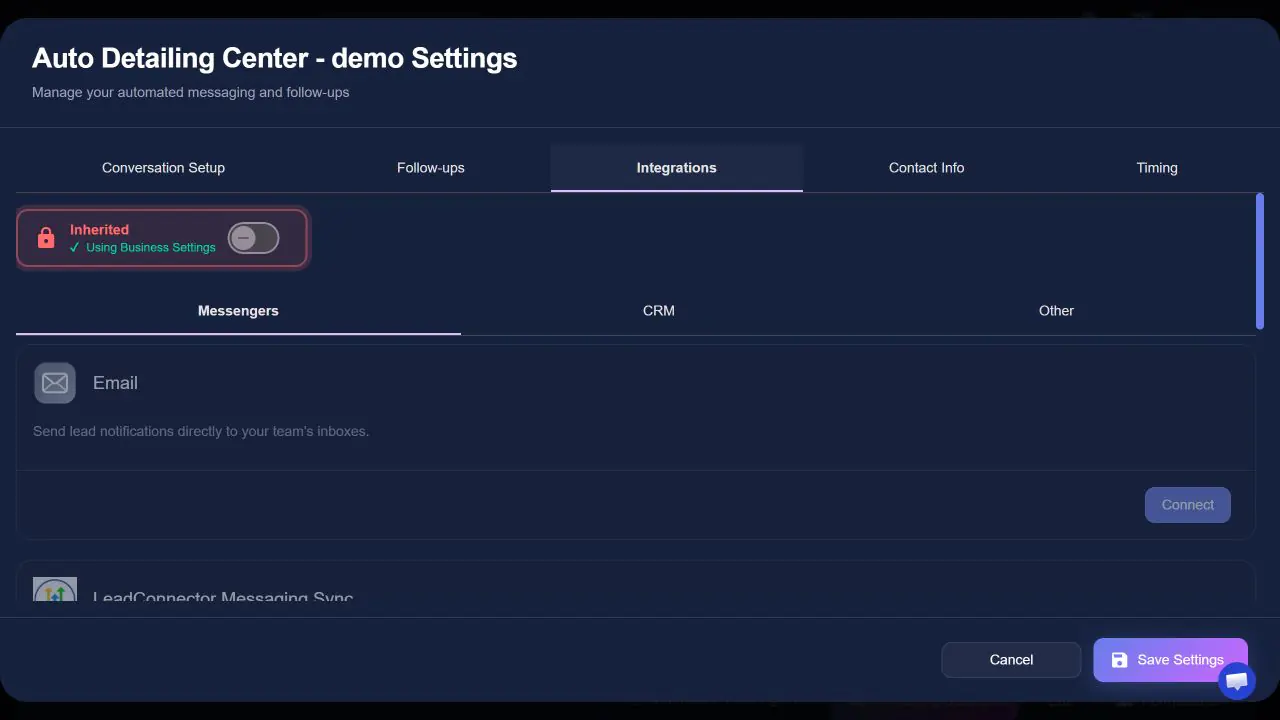
- Connect Google Sheets through Zapier. On the source’s Integrations tab, open the Zapier card, paste your Zapier API key, validate it, and turn on Enable. Then build a Zap with Auto-Respond as the trigger and a new Google Sheets row as the action. Each lead becomes a new row.
- Turn on the confirmation. On the Contact Info tab, write the message the lead gets when their phone number or email arrives. It goes out in under 2 seconds, and a Calling Agent in Voice Agent (an add-on billed per number and per minute) can call them back instantly.
- Go live and test. Submit a test lead. The confirmation fires in under 2 seconds, then the row appears with the lead’s details the next time your Zap checks for new leads.
Setup in Auto-Respond takes under 2 minutes; the Zap itself runs on your Zapier account, which checks for new leads on a schedule. Instagram Lead Ads that run on the same Facebook Page arrive in the same source, so they reach the same sheet.
Prefer no Zapier at all? Click Export CSV on the Auto-Respond analytics page. It downloads the leads for the date range and sources you pick, and the file opens directly in Google Sheets. It is a manual step, so re-run it whenever you want a fresh copy.
If you also want the same leads posted to Slack and your CRM, the Slack setup guide and the full lead routing stack guide cover those paths.
Why Not Just Download the CSV From Ads Manager?
Because Meta deletes lead form data 90 days after submission, and manual exports mean every lead waits for you to remember. Miss an export cycle and the contact info from the gap can be gone for good.
When we onboard service businesses that run Facebook Lead Ads, we keep seeing the same pattern: the spreadsheet is current on Monday and stale by Thursday, and the leads from the gap never got a reply at all.
Here is how the three sync methods compare:
| Manual CSV export | Per-task automation tool | Auto-Respond plus a Zap | |
|---|---|---|---|
| Monthly cost | Free + your time every week | Paid plan past the free tier | $19 flat for the Lead Ads source, plus your Zapier plan |
| Per-lead cost | None | Every lead burns tasks | None from Auto-Respond, no lead caps |
| Sync speed | Whenever you download | Near real time while the task runs | Captured instantly, in the sheet when the Zap checks |
| Lead data after 90 days | Gone unless you exported | Kept if the task never failed | Every lead already captured in Auto-Respond |
| Replies to the lead | No | No | Confirmation in under 2 seconds, instant voice callback with the Voice Agent add-on |
The Lead Ads source is a flat $19/month with no per-lead fees, so a busy ad week never pushes that bill into a higher tier. The Sheets step runs on your own Zapier account, under your Zapier plan.
A Google Sheets Row Is Not a Lead Response
Logging the lead solves record keeping, not speed. The person who submitted your form is still waiting for someone to see the row and act.
The research is blunt. Waiting from 5 to 30 minutes to respond makes you 21x less likely to qualify the lead (MIT, Dr. James Oldroyd, 2007). In HBR’s audit of 2,241 companies (2011), the average response took 42 hours and 23% never replied, even though responding within 1 hour makes you about 7x more likely to qualify it than an hour later. A spreadsheet row does not close that gap. A reply does.
Here is the full flow with Auto-Respond on a real lead:
- Someone taps your ad at 9:14pm and submits the pre-filled form.
- Auto-Respond sends them your confirmation message in under 2 seconds.
- If you run a Calling Agent, it calls them back instantly within your call hours, asks about the job, and can book it when a scheduling integration is connected.
- Your Zap adds the new row to your spreadsheet with their name, phone, email, and inquiry.
You start the morning with the lead already answered, the row in your sheet, and the call transcript in Call Logs if your Calling Agent reached them, not a cold form fill from last night. That response layer is the difference between logging leads and converting them, and the contractor guide to Facebook Lead Ads covers the reply side in more depth.
Bottom Line: Facebook Lead Ads to Google Sheets
You do not need webhook code or weekly CSV downloads to get Facebook leads into Google Sheets. Connect your Facebook Page to Auto-Respond and one Zap writes every lead to your spreadsheet, the lead is copied out of Meta before the 90-day deletion, and the lead gets a confirmation in under 2 seconds with an instant voice callback available through the Voice Agent add-on.
A per-task tool on its own charges a monthly plan past its free tier and only moves data. Auto-Respond costs $19/month flat for Facebook Lead Ads, sets up in under 2 minutes, and answers the lead before a competitor does. Connect the Page, build the Zap, and test it with one form submission.
Frequently Asked Questions
How do I sync Facebook Lead Ads to Google Sheets automatically?
Authorize your Facebook Page once through a Meta integration, then add a Zap that appends each lead to a Google spreadsheet. Every lead form submission becomes a new row the next time the Zap checks for new leads: timestamp, name, phone, email, postal code, and the inquiry. Auto-Respond also sends the lead a confirmation in under 2 seconds, which no export or sync tool does on its own.
Does Facebook delete lead form data?
Yes. Meta stores lead form submissions for 90 days, then deletes them. If you have not downloaded the CSV or synced the lead to an external destination like Google Sheets or a CRM within that window, the contact information is gone. An automatic connection removes that risk because every lead is copied out of Meta the moment it is submitted.
Can I export Facebook leads to Google Sheets for free?
Yes, two ways. You can download a CSV from Ads Manager and paste it into your sheet manually, or build a connector with Meta’s leadgen webhook plus the Google Sheets API. The CSV route costs your time every week and leads sit unanswered between exports. The DIY route is free but needs a developer and breaks silently after Meta API and token changes. If your leads already come into Auto-Respond, its Export CSV button downloads them in a file that opens directly in Google Sheets.
How much does a Facebook Lead Ads to Google Sheets integration cost?
Manual CSV exports are free plus your time. Per-task automation tools move to a paid monthly plan once you pass their free tier, and every lead burns tasks. Auto-Respond connects Facebook Lead Ads for $19/month flat with no per-lead fees, no lead caps, and a 7-day free trial, and it includes the under-2-second confirmation to the lead. The Google Sheets step runs as a Zap on your own Zapier account, so your Zapier plan applies to it.
What data lands in each Google Sheets row?
Whatever your Zap maps from the fields Auto-Respond makes available: first and last name, phone number, email, postal code, the source name (when Include source name is on), the inquiry, and the timestamp. Answers to your custom form questions are captured on the lead inside Auto-Respond. With the confirmation turned on, by the time the row is written, the lead has already received a reply.
Does this work for Instagram Lead Ads too?
Yes. Instagram Lead Ads run through the same Meta ad account and the same leadgen API as Facebook. When you connect the Facebook Page behind those ads in Auto-Respond, its Instagram lead form submissions arrive in the same source, reach the same spreadsheet through your Zap, and get the same under-2-second confirmation.
Try Auto-Respond free for 7 days and see every Facebook lead land in your spreadsheet already answered and ready to book.