 Yelp
Yelp Thumbtack
 Facebook
 Instagram
 Google Local Services Ads
Give the new lead attention
Let the first response start while you finish the task in front of you. Ask for the location, service details, and timing you need to assess the job.
We use cookies and measurement tools from Google and OpenAI, and session recording, to measure our ads and improve this site. By continuing to browse, you agree. You can change this anytime. Privacy Policy
Thumbtack auto responder
A Thumbtack auto responder from Auto-Respond sends a job-specific first reply to every new Thumbtack lead in under 2 seconds, then follows up on your schedule until the customer replies or books. Flat $99/month, no per-lead fees.
7 days to try it Cancel anytime
Optional voice callback requires a callable number and is billed separately.
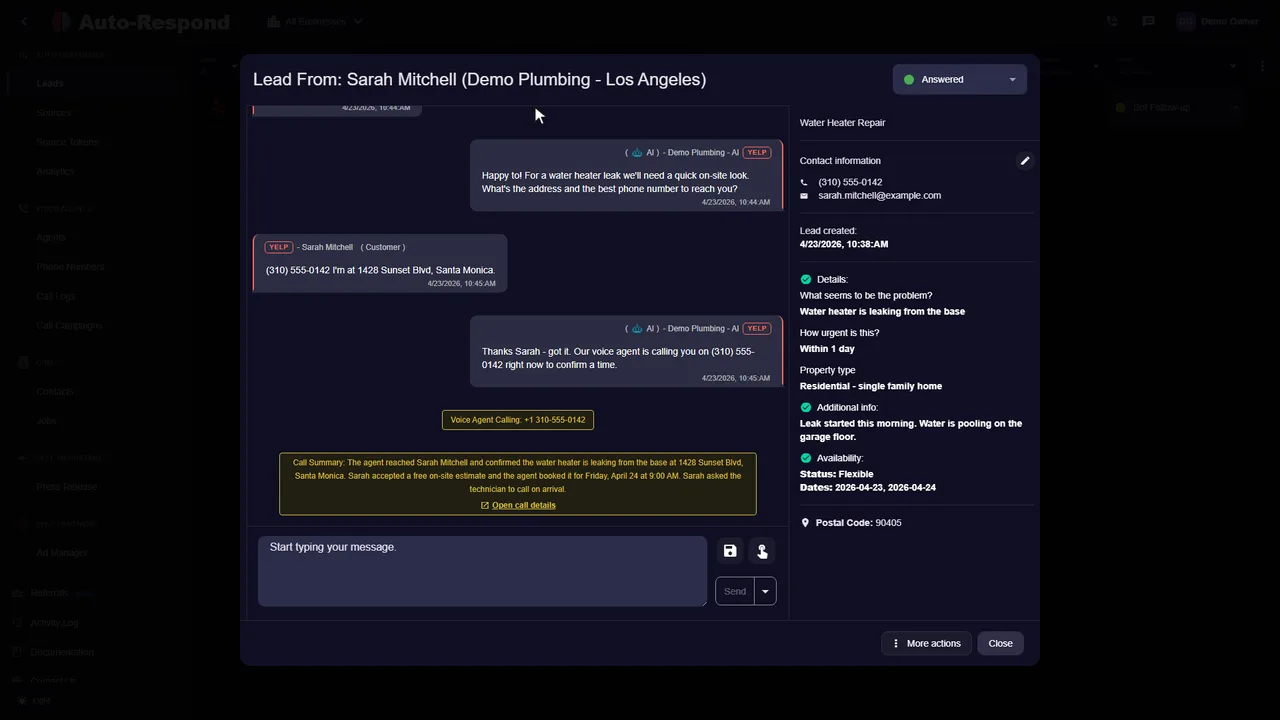
One platform. The channels you already use.
The first reply goes out in under 2 seconds after a supported Thumbtack lead arrives. It is written from what the customer entered (the service, the job details, the location and the dates they picked) and from your services, prices and reply instructions, so it reads like an answer to their request rather than a thank-you note. From there the AI asks the questions you need to quote, and if the customer goes quiet, it follows up on the schedule you set.
Let the first response start while you finish the task in front of you. Ask for the location, service details, and timing you need to assess the job.
A configured Day 1, Day 3, and Day 7 sequence keeps unanswered leads moving. It stops when the customer replies or books.
A Thumbtack auto responder answers a new Thumbtack lead automatically, so the customer gets a useful first message while you are still on a job, driving, or off for the night. Auto-Respond connects to your Thumbtack Pro account, reads the service category and project details the customer entered, and sends a job-specific first reply in under 2 seconds. Then it keeps the conversation going with your qualifying questions and a follow-up sequence that stops the moment the customer replies or books.
On Thumbtack the customer is usually comparing several pros for the same job. The research on lead response is clear about why the first useful answer matters: contacting a lead within an hour makes it about 7x more likely to qualify than contacting it an hour later (Harvard Business Review, 2011).
There are three ways to answer Thumbtack leads faster. They differ in who writes the message and what happens after it.
Free and personal, but someone still has to open the app, pick the message, and send it. Nights, weekends, and busy job days are where leads wait.
Thumbtack's own service sends the initial message you choose to your direct leads, in under two minutes. Thumbtack lists it at $60 a month (Starter) and $500 a month (Enterprise, 9+ locations), with sign-up through a call (Thumbtack).
A job-specific reply written from the customer's request and your services, prices, and instructions, in under 2 seconds. Qualifying questions, Day 1 / 3 / 7 follow-up, an optional instant voice callback, and the same inbox for Yelp, Facebook, Instagram, and Google Local Services Ads. $99 a month flat, no per-lead fees.
The difference that matters for winning the job: a fixed first message thanks the customer; an AI reply can answer their actual question, ask the one detail you need to quote, and offer the next step.
Several tools answer Thumbtack leads automatically. They differ in pricing model, lead sources, and stated reply speed. Here is what each one lists on its own website.
| Tool | Lead sources | Pricing (as listed) | Stated reply speed | Voice calls | Free trial |
|---|---|---|---|---|---|
| Auto-Respond | Yelp, Thumbtack, Google LSA, Facebook Messenger, Facebook Lead Ads, Instagram DMs | Flat per channel: Yelp $99/mo, Thumbtack $99/mo, Google LSA $49/mo, Messenger $49/mo, Lead Ads $19/mo, Instagram DMs $49/mo. No per-lead or setup fees | Instant, under 2 seconds | Optional AI voice agent calls new leads instantly ($10/mo per number + $1/min) | 7 days |
| LeadTruffle | Yelp (via Zapier), Thumbtack, Google LSA, Angi, Meta Lead Ads, Facebook Messenger, website, phone | Custom pricing after a demo; month-to-month | Within seconds | AI answers inbound calls | Not stated on site |
| LeadWinner | Yelp, Thumbtack, Google LSA | $2.99 per lead, or $49/week with 20 leads included; billed weekly | About 10 s (Yelp), 20 s (Thumbtack), 15 s (Google LSA) | Auto-call that connects you to the customer | 7 days |
| Niche | Yelp, Thumbtack, Google LSA, Angi, Facebook Lead Ads, HomeAdvisor, Houzz Pro, Porch, Networx, Bark and more | $299/mo (Yelp + Thumbtack, up to 500 leads/mo) to $1,999/mo, plus a one-time setup fee; listed as launch pricing | Under 2 seconds (pricing page); 8-second median (lead sources page) | AI answers calls and places outbound calls ($0.79 to $1.29/min) | 10 to 14 days (pages differ) |
| Casey | Yelp, Thumbtack, Google LSA, Angi, Meta (incl. Messenger and Instagram DMs), website forms | Custom quote after a demo; month-to-month | Typically 5 to 30 seconds | AI can place the first call; answers Google LSA calls | Not stated on site (pilot program) |
Features and prices as listed on each company's own website, checked October 2026. Plans change, so check each provider for current details. "Not stated on site" means the company's website does not say.
The connection uses Thumbtack's own authorization, with no Zapier and no forwarding rules. In Auto-Respond, open Sources and click Add Thumbtack. Sign in to your Thumbtack Pro account and approve access; Thumbtack returns a secure access token, and your password is never shared. Your account then shows as an active source.
Step-by-step setup and troubleshooting: Thumbtack source guide.
Connect your Thumbtack Pro account, add your business facts, and Auto-Respond replies to every Thumbtack lead in under 2 seconds with a job-specific message, then follows up on Day 1, 3 and 7.
Every Thumbtack inquiry brings what the customer shared: their name, the service category and job description, the postal code or location, the availability they picked, any photos or documents they uploaded, and a phone number or email when they share one in the conversation. The AI uses those details so the first reply is about their job, not a generic thank-you.
Leads arrive whenever customers plan their projects, including evenings and weekends. A reply that wins the conversation usually does three things: it names the job, it asks the one question you need to give a price or book a visit, and it offers a clear next step. When a phone number comes through, the optional voice agent can call the customer instantly to qualify and book.
Want to see how lead prices and response speed add up? Read how much Thumbtack charges for leads and the speed-to-lead guide for Yelp and Thumbtack.
See the actual product
Watch the product walkthrough, then try it with your own business.
Recorded with a demo business. A walkthrough of the product, not a customer result.
Simple to start. Yours to control.
You connect with your Thumbtack Pro login, so there is no Zapier and no forwarding rule to maintain. Add the facts the replies should use, switch it on, and send yourself a test lead.
Set up my businessCreate the account you will use for your supported lead sources.
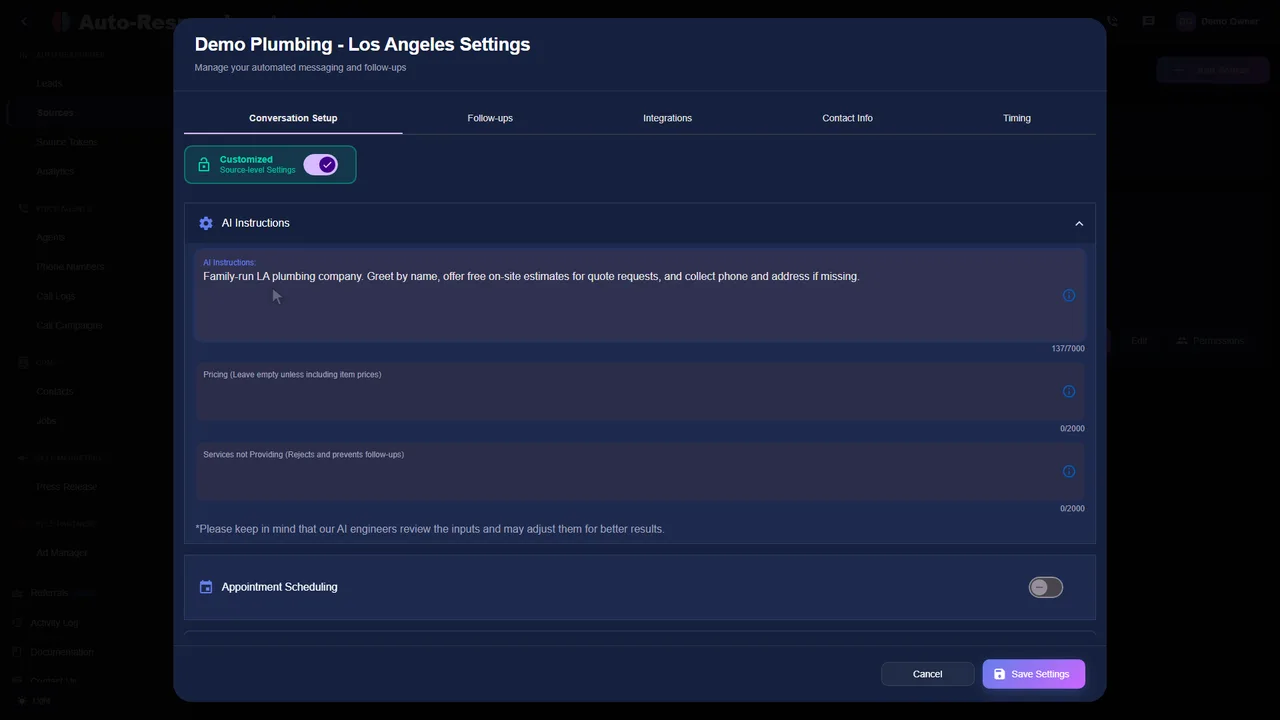
Choose Thumbtack in Lead Sources and complete the connection shown in the product.
Provide services, service area, hours, and reply instructions so messages stay grounded in your business.
Turn on the Thumbtack responder. The next supported lead receives its first reply in under 2 seconds.
Clarity for your team
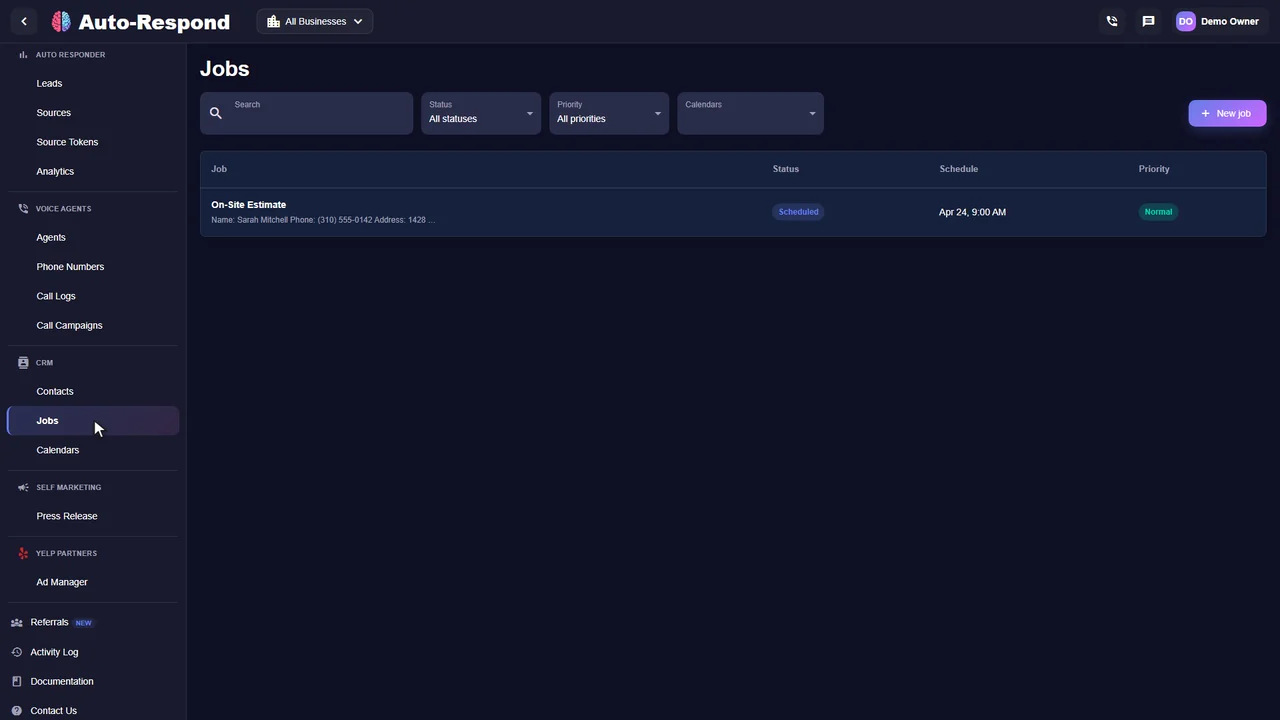
Every Thumbtack lead shows the customer's request, the replies so far and the next step, in the same inbox as your other sources. These are real product screens from our demo business.
Customer stories
Reviews from owners and teams who use it with their own leads.
“It handles everything. A lead came in from Thumbtack, the AI texted them, they didn't reply, so the AI called them. It answered their questions about pricing and booked the job. It's a complete sales machine.”

“This system completely transformed our lead response process. It feels like having a dedicated team member who never sleeps and always responds professionally. Our booking rate increased just from faster response times. it's honestly like magic.”

Know the price before you start
Thumbtack auto-response is $99 a month for each connected Thumbtack Pro account, with no per-lead fees, no lead cap and no contract. Thumbtack still charges for its leads as usual. Every channel is listed on the pricing page, and our guide explains how much Thumbtack charges for leads.
Thumbtack auto responder
Flat monthly channel price. No per-lead fees.
See how it works for your business.
Start my free trial No setup fee. No long-term contract.A few things you might be wondering
Front Desk, setup, follow-up and cost.
Explore the help centerA Thumbtack auto responder replies to a new Thumbtack lead as soon as it arrives. Auto-Respond sends the first reply in under 2 seconds and can continue with follow-up messages based on the service details and reply instructions you provide.
Yes. Thumbtack sells Front Desk, which it describes as a service that automatically sends the initial message of your choosing to your direct leads, in under two minutes. Thumbtack lists Front Desk at $60 a month (Starter) and $500 a month (Enterprise, 9+ locations), with sign-up through a call. Auto-Respond is an independent alternative: an AI-written, job-specific first reply in under 2 seconds, follow-up, and an optional voice callback for $99 a month.
No Zapier is needed. In Auto-Respond you open Sources, click Add Thumbtack, sign in to your Thumbtack Pro account, and approve access. Thumbtack returns a secure access token; your password is never shared. One Thumbtack Pro account is one source, and both incoming messages and replies run through the connection.
Whatever the customer shared on Thumbtack: their name, the service category and job description, the postal code or location, the availability they selected, file attachments they uploaded, and a phone number or email when they share one in the conversation.
Thumbtack does not have one useful flat price for every category and market. Check the price shown in your Thumbtack account for the services and locations you target. To measure the result, divide total Thumbtack lead spend by booked jobs instead of relying on a generic online range.
The first reply is sent in under 2 seconds on supported Thumbtack leads. That is the product response-time claim; it is not a promise that every lead will reply, qualify, or book.
The do-it-yourself setup is designed to take under 2 minutes, and same-day setup is available. The under-2-minute figure is owner-stated, not an independent stopwatch test.
Yes. A typical sequence can follow up on Day 1, Day 3, and Day 7. Follow-up stops when the lead replies or books, so the sequence does not keep chasing an active conversation.
Thumbtack auto-response is $99 per month with a 7-day free trial, no setup fee, no per-lead fee, no lead cap, and no contract. The optional voice agent costs $10 per month per number plus $1 per minute of talk time.
Auto-Respond covers two of the three from one account: Thumbtack and Google Local Services Ads leads get an instant written reply, and an optional AI voice agent calls back any lead with a callable number and answers your business line. It does not connect to Angi. The same account also covers Yelp, Facebook and Instagram leads.
Auto-Respond also supports Yelp Request a Quote, Facebook Messenger, Facebook Lead Ads, Instagram DMs, and Google Local Services Ads.
Your next inquiry could be any minute
Built around your business. Ready when your customers are.