 Yelp
Yelp Thumbtack
 Facebook
 Instagram
 Google Local Services Ads
01
Call new leads the instant they arrive
When a Yelp, Thumbtack, Facebook, or Google lead includes a phone number, the agent can call while the customer is still comparing pros.
We use cookies and measurement tools from Google and OpenAI, and session recording, to measure our ads and improve this site. By continuing to browse, you agree. You can change this anytime. Privacy Policy
AI voice agent
An AI voice agent holds real phone conversations for your business: it answers inbound calls 24/7 and calls new leads back the instant they arrive, using your services, prices and rules, then books the job or hands you a summary. Auto-Respond charges $10 a month per number plus $1 per minute of talk time.
7 days to try it Cancel anytime
Outbound callback is optional and requires a supported lead with a callable number.
One platform. The channels you already use.
Keep doing what you do best
Make it easy to reach your business, ask a question, and take the next step.
When a Yelp, Thumbtack, Facebook, or Google lead includes a phone number, the agent can call while the customer is still comparing pros.
The agent follows the services, prices, service area, and instructions you set, so every call stays grounded in how you work.
It asks your qualifying questions, offers open times when scheduling is on, and books the job or transfers the call to your team under the rules you set.
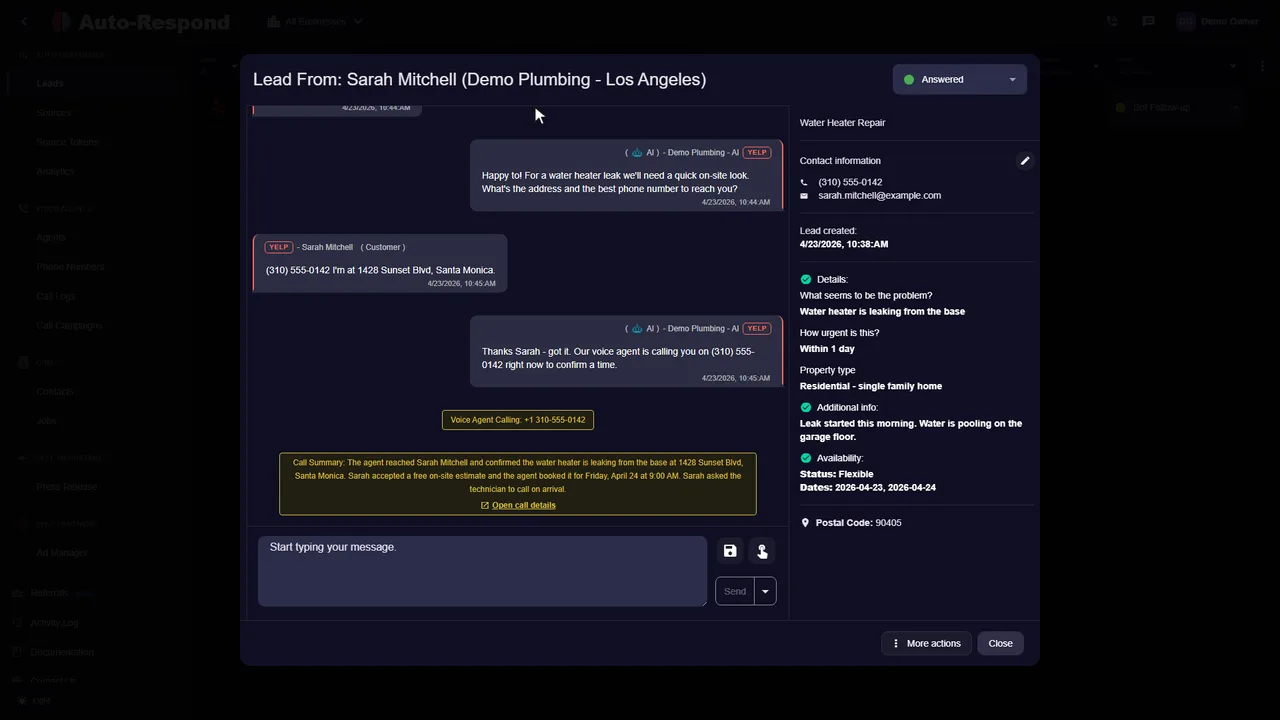
Most businesses first think of an AI voice agent as something that answers the phone. The bigger change for a business that buys leads is the other direction: the agent calls the lead back the moment the lead arrives, before they get to the next company on their list.
When someone calls your business, the agent can answer questions and gather job details using the information you provide. Keep a response available after hours and when your team is busy.
When enabled, a supported lead with a callable number can trigger an instant outbound dial. Your AI starts the call; your instructions guide the conversation.
In Auto-Respond each agent has one of three jobs:
| Agent type | What starts the call | Typical use |
|---|---|---|
| Answering agent | A customer dials your agent's number, or your forwarded business line | Covering calls you miss, at night and on busy days |
| Calling agent | A new lead arrives from a connected source with a phone number | Speed to lead: calling quote requests back while they are still deciding |
| Batch calling agent | You start a campaign to a list of recipients | Reaching a list you already have, with each call personalized |
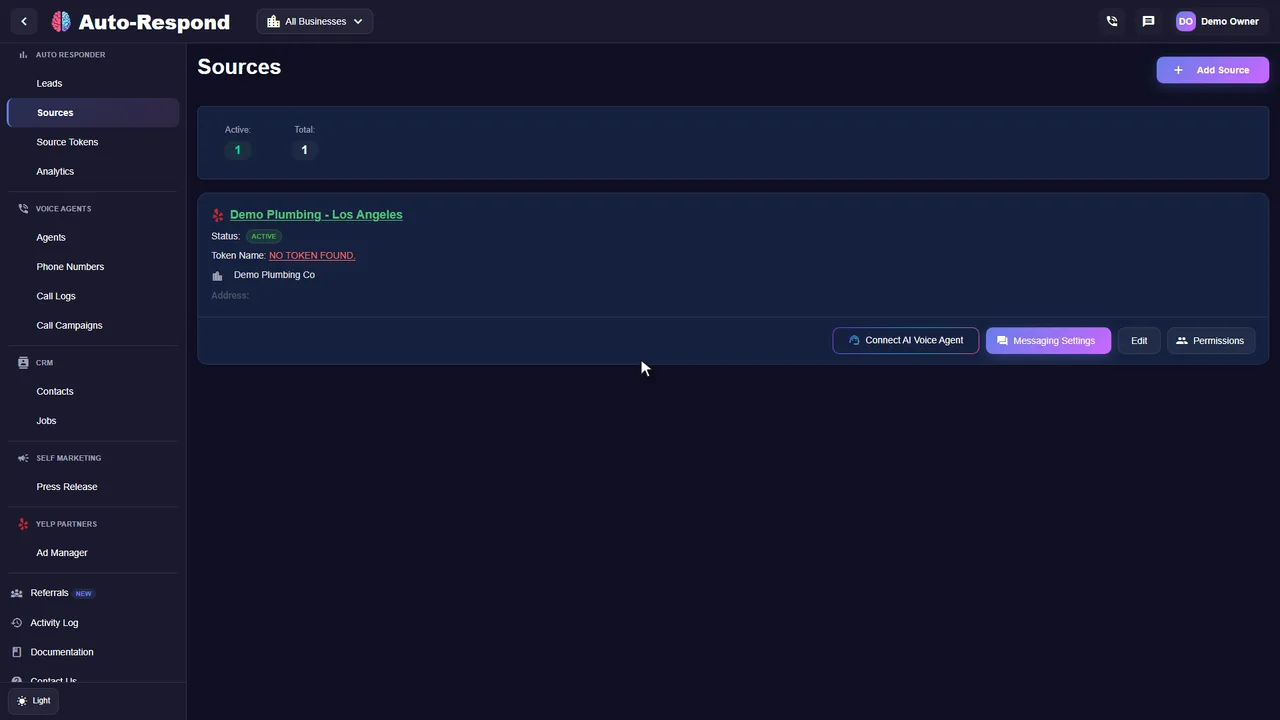
A calling agent dials every new lead from the sources you connect, as long as the lead has a phone number it can call. How often that happens depends on the source:
Two rules keep callbacks sensible. The agent's call hours apply to outbound calls too, so a lead that arrives at 2 a.m. is queued and called when your hours begin. And when nobody picks up, the agent leaves your voicemail message and the call is logged as missed.
On an outbound call, the first sentence is always "Hi, this is [agent name], AI Assistant from [your business]." That line cannot be turned off. Then the agent continues with your greeting and runs the conversation you configured:
When the call ends you get a call log with the recording, transcript, AI summary, the customer data it extracted, any appointment booked and why the call ended. Summaries can also be sent to your CRM or to your team by SMS, Slack or Telegram. Inbound calls follow the same pattern, minus the opening line, which you set in your greeting. Calls show your agent's phone number by default, or your own business number once you verify it as caller ID.
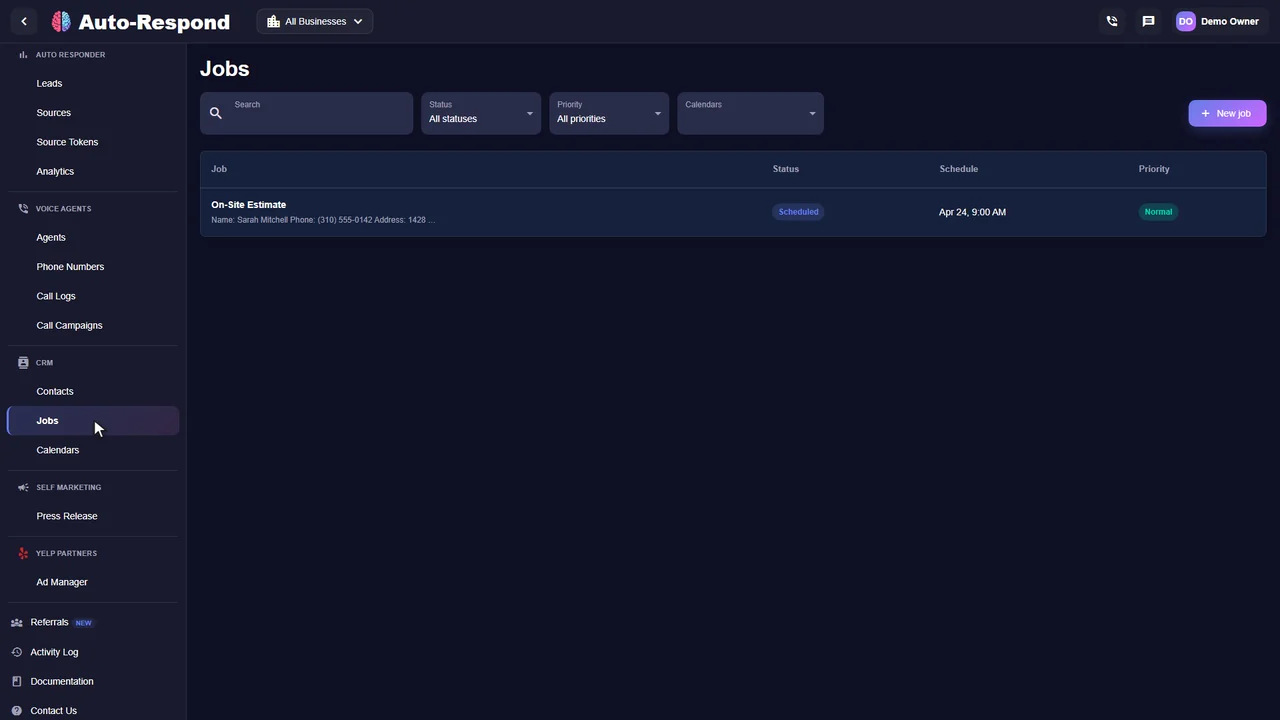
Yes, within the rules you give it. When job addresses are available, the AI compares where the new job is against the jobs around it, estimates the driving time between them and takes that into account before it offers the caller a time. It also follows the service-area, geographic and travel-time rules you write into its scheduling instructions. The driving time is an estimate, not a reading of live traffic.
Three things make this work on a real schedule:
The scheduling settings guide shows where each calendar option is set up, and the guide to AI booking for calls and texts covers how the same rules apply when a lead messages instead of calling.
Before you let any AI call people, know the rule it is judged by. On February 8, 2024 the Federal Communications Commission ruled that calls made with AI-generated voices count as "artificial" voices under the Telephone Consumer Protection Act. The TCPA restricts calls that use artificial or prerecorded voices, and the FCC's rules require telemarketers to get prior express written consent before making such calls (FCC news release).
In plain terms: call people who asked you to contact them, and keep a record of how they asked. Auto-Respond's own rule is the same: only call numbers your business has a valid basis to contact. The product backs that up:
This is general information, not legal advice. Consent rules depend on the lead source, the purpose of the call and state law; check your lead sources' terms with your attorney before turning on automatic calling.
See the actual product
Watch the product walkthrough, then try it with your own business.
Recorded with a demo business. A walkthrough of the product, not a customer result.
Simple to start. Yours to control.
Pick the job first (answer calls, call new leads back, or both), then give the agent your business facts and test it with your own number. The outbound calling guide covers the callback settings in detail.
Set up my businessStart with Yelp Request a Quote, Thumbtack, Facebook, Instagram DMs, or Google LSA.
Provide services, pricing, hours, service area, and the response instructions the agent should use.
Turn on outbound voice only for the supported lead events you want to call.
Use a test lead with a callable number and verify that the outbound dial starts instantly.
Clarity for your team
See what the lead asked, what the agent answered, what was booked and what still needs you, with the recording and transcript attached. These are real product screens from our demo business.
Customer stories
Reviews from owners and teams who use it with their own leads.
“I thought it was just an auto-responder, but it's a full employee. It texted the Yelp lead, then immediately called them, negotiated the time, and booked the estimate. I just woke up to the notification. Insane.”

“It handles everything. A lead came in from Thumbtack, the AI texted them, they didn't reply, so the AI called them. It answered their questions about pricing and booked the job. It's a complete sales machine.”

“I'm usually in bed by 10 PM, but HVAC emergencies don't follow business hours. Now when someone reaches out at 11:47 PM, the AI is there immediately. By morning I have conversation history, customer info, and often a scheduled appointment. Revenue is up year-over-year.”

Know the price before you start
Each phone number is $10 a month, and calls are $1 per minute of talk time whether they come in or go out, with each completed call rounded up to the next whole minute. No contract or setup fee; every channel price is on the pricing page.
AI voice agent
Plus $1 per minute of talk time.
See how it works for your business.
Start my free trial No setup fee. No long-term contract.A few things you might be wondering
Callbacks, booking, consent and cost.
Explore the help centerAn AI voice agent is software that can answer inbound calls and place outbound calls using the services, pricing, hours, service area, and response instructions a business provides.
They overlap. "AI voice agent" is the technology: an AI that holds a phone conversation, inbound or outbound. An AI receptionist and an AI answering service are two uses of it for incoming calls: greeting callers and booking them, or covering the calls your team cannot take. A voice agent can also call people, such as new leads the instant they arrive or a list of past customers.
The outbound dial starts instantly when voice callback is enabled and a supported lead includes a callable number. That is a response-time claim, not a promise that the lead will answer, qualify, or book.
Supported lead channels are Yelp Request a Quote, Thumbtack, Facebook Messenger, Facebook Lead Ads, Instagram DMs, and Google Local Services Ads. A callback also requires a callable number.
Yes, when you connect scheduling. During the call the agent checks availability in Cal.com, FieldPulse, GoHighLevel or Housecall Pro and creates the appointment there, or it uses Open Schedule to offer times from your written rules and saves the booking as a Job in Auto-Respond. Without scheduling it collects the details and flags the call for a callback.
Yes, as an estimate. When job addresses are available, the AI compares the locations and estimates the driving time between jobs before it offers a slot, and it follows the service-area, geographic and travel-time rules in your scheduling instructions. It does not read live traffic. The AI appointment setter guide shows a sample service-area rule and how Open Schedule checks booked jobs and their addresses before it offers a time.
It can be, when the person has agreed to be contacted. Since February 2024 the FCC treats AI-generated voices as "artificial" voices under the Telephone Consumer Protection Act, so the same consent rules apply as for prerecorded calls, and telemarketing calls need prior express written consent. Auto-Respond's agent always says it is an AI assistant, honors "stop calling" requests at once and checks your do-not-call list before each call. This is not legal advice: confirm your lead sources' consent terms with your attorney.
$10/month per phone number plus $1 per minute of talk time, for inbound and outbound calls. There is a 7-day trial and no contract or setup fee.
No. Voice callback is optional and requires a callable number. The supported-channel first text or platform message is a separate response and is created in under 2 seconds.
Track callbacks attempted, pickup rate, first-response time, booked jobs, and cost per booked job using your own channel data. Auto-Respond does not publish a guaranteed conversion rate.
Your next inquiry could be any minute
Built around your business. Ready when your customers are.