 Yelp
Yelp Thumbtack
 Facebook
 Instagram
 Google Local Services Ads
01
Answer around the clock
Your AI front desk answers inbound calls 24/7, so callers reach a helpful voice instead of a full voicemail box.
We use cookies and measurement tools from Google and OpenAI, and session recording, to measure our ads and improve this site. By continuing to browse, you agree. You can change this anytime. Privacy Policy
AI receptionist
An AI receptionist answers your business calls 24/7: it greets callers with your business name, answers questions from the details you provide, collects their information and books appointments when scheduling is on. Auto-Respond's AI receptionist also transfers the calls you want to take yourself and logs every call, for $10 a month per number plus $1 per minute.
7 days to try it Cancel anytime
Enable appointment scheduling to let your receptionist offer available times.
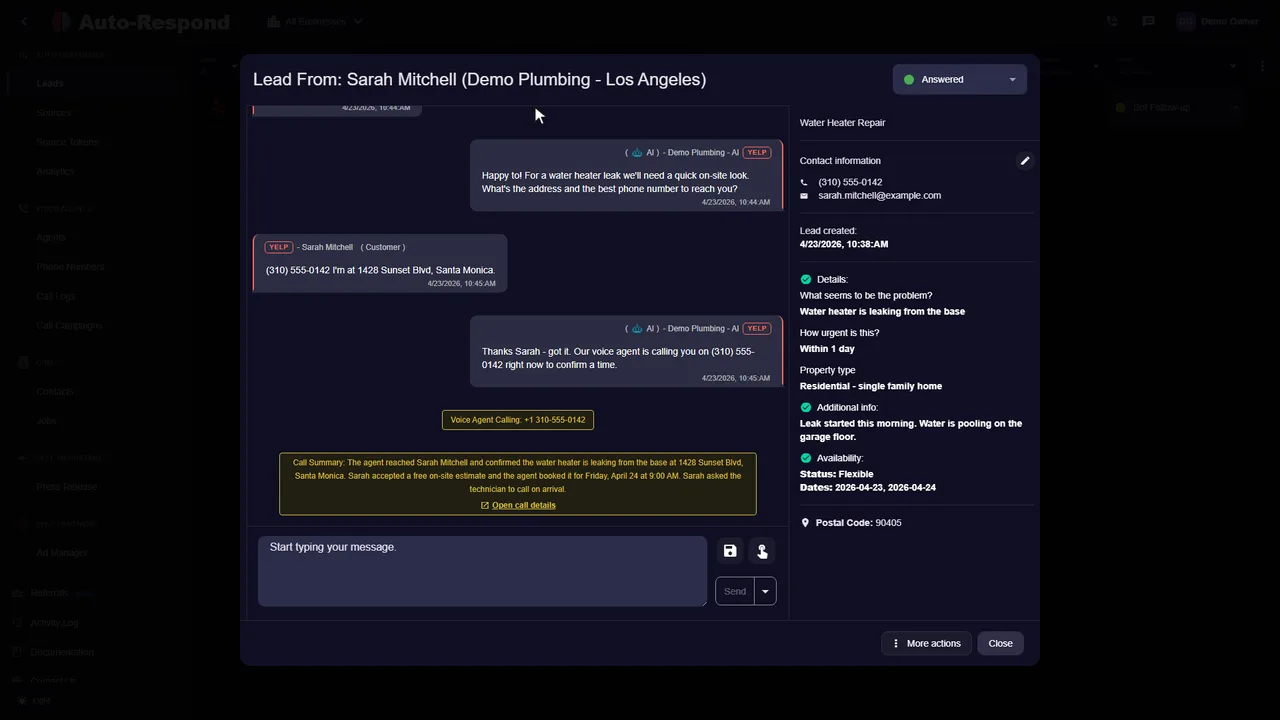
One platform. The channels you already use.
Keep doing what you do best
Keep serving the customer in front of you while your next caller gets an answer.
Your AI front desk answers inbound calls 24/7, so callers reach a helpful voice instead of a full voicemail box.
It answers questions about your services, hours, and service area from the information you provide.
When scheduling is enabled it offers open times from your calendar and confirms the booking.
An AI receptionist is your front desk on the phone. It does the same five jobs a receptionist does, using what you told it about your business rather than a generic script:
Give callers useful answers about your services, coverage area, and hours. Update the business information when something changes.
Enable scheduling and configure availability so the conversation can move toward a time that works. Your team can review the customer details afterward.
"Virtual receptionist" usually means a remote person, employed by a receptionist company, who answers your line from a script. An AI receptionist is software you set up yourself. The names get mixed up in search results, so here is how they actually differ for a small service business:
| Virtual receptionist (a person) | AI receptionist | |
|---|---|---|
| Hours | The plan's staffed hours | Any hours you set, up to 24/7 |
| Who sets up what callers hear | You brief the provider; they train their staff | You write the greeting, questions and rules in the dashboard |
| Booking | Depends on whether the provider can use your calendar | Books through your scheduling tool when you connect one |
| After the call | A message or a call note | Recording, transcript, AI summary and the details collected |
| Judgment | A person can improvise with a difficult caller | Follows your instructions; transfers the call when it meets your criteria |
| Price model | Set by each provider | $10 a month per number plus $1 per minute |
A person is the better choice when callers often need sympathy or a judgment call, such as upset customers or insurance claims, or when your brand depends on a familiar voice. For the call that just needs answers and a booking, an AI receptionist handles it at any hour you set. For a side-by-side of the two roles in more depth, read receptionist vs AI voice agent.
Three settings shape how your AI front desk sounds to a caller, and each takes a minute to change:
Then call your own number and listen like a customer would. If an answer is wrong, the fix is almost always in the knowledge base, not the voice.
Auto-Respond's AI receptionist is built for service businesses whose owners are on the job when the phone rings: plumbers, HVAC companies, electricians, roofers, cleaners, landscapers, movers and other contractors. What they have in common is that the next caller is often a new job, and the person who could answer is busy doing the last one.
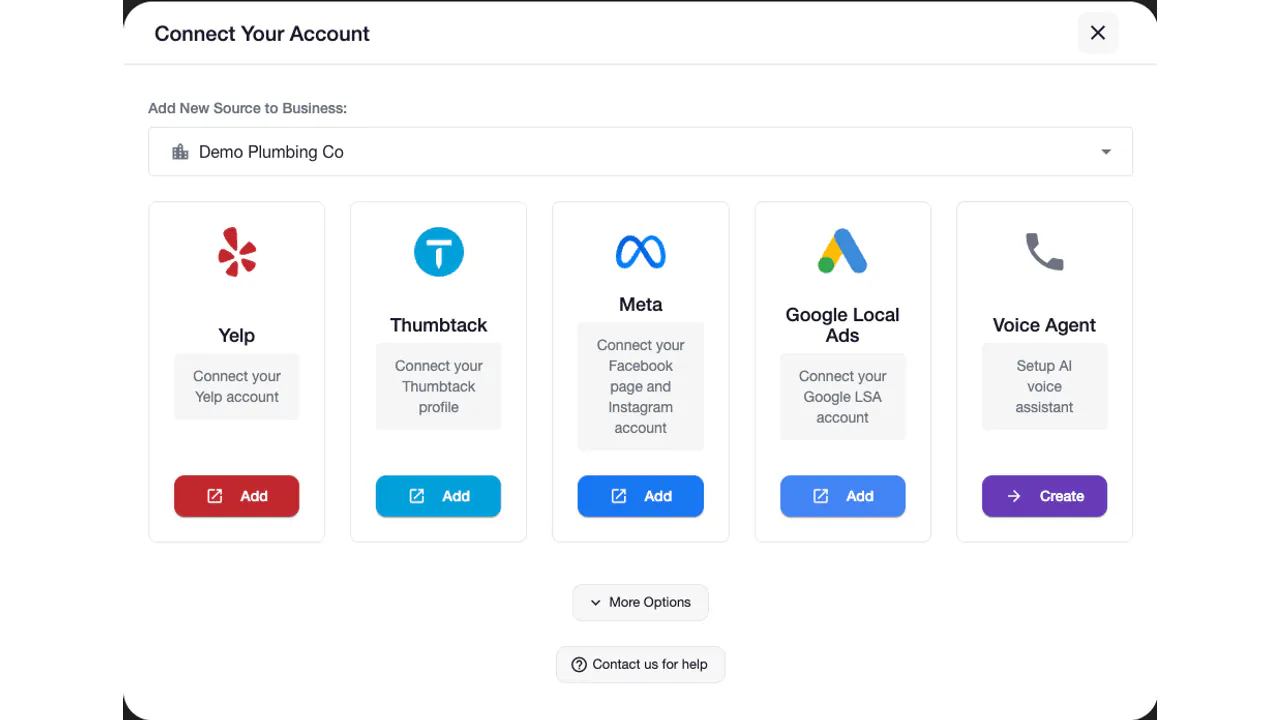
The same account also answers the leads that arrive as messages, from Yelp, Thumbtack, Facebook, Instagram and Google Local Services Ads, so the receptionist and the inbox follow the same instructions. If Thumbtack is a big source for you, see the Thumbtack auto responder. Trade guides: electricians, plumbers, and our guide to an AI receptionist for a small business.
See the actual product
Watch the product walkthrough, then try it with your own business.
Recorded with a demo business. A walkthrough of the product, not a customer result.
Simple to start. Yours to control.
You do not need a new phone system. Get a number, give the receptionist your business details, forward your line and test it with a call of your own. The voice agent getting-started guide shows each screen.
Set up my businessCreate your account. The 7-day free trial includes the voice agent.
Pick a local number for your service area. $10/month per number.
Services offered, pricing ranges, service area ZIP codes, hours, emergency policy. The AI grounds every answer in this.
Most carriers allow conditional forwarding - forward only when you do not pick up, or after 2 rings, or 24/7. Pick the rule that fits.
Define which calls warm-transfer to your cell (emergency, high-value, caller request) and the destination numbers.
Call your own number, test the flow, fix anything that feels off, then leave it running. Done.
Clarity for your team
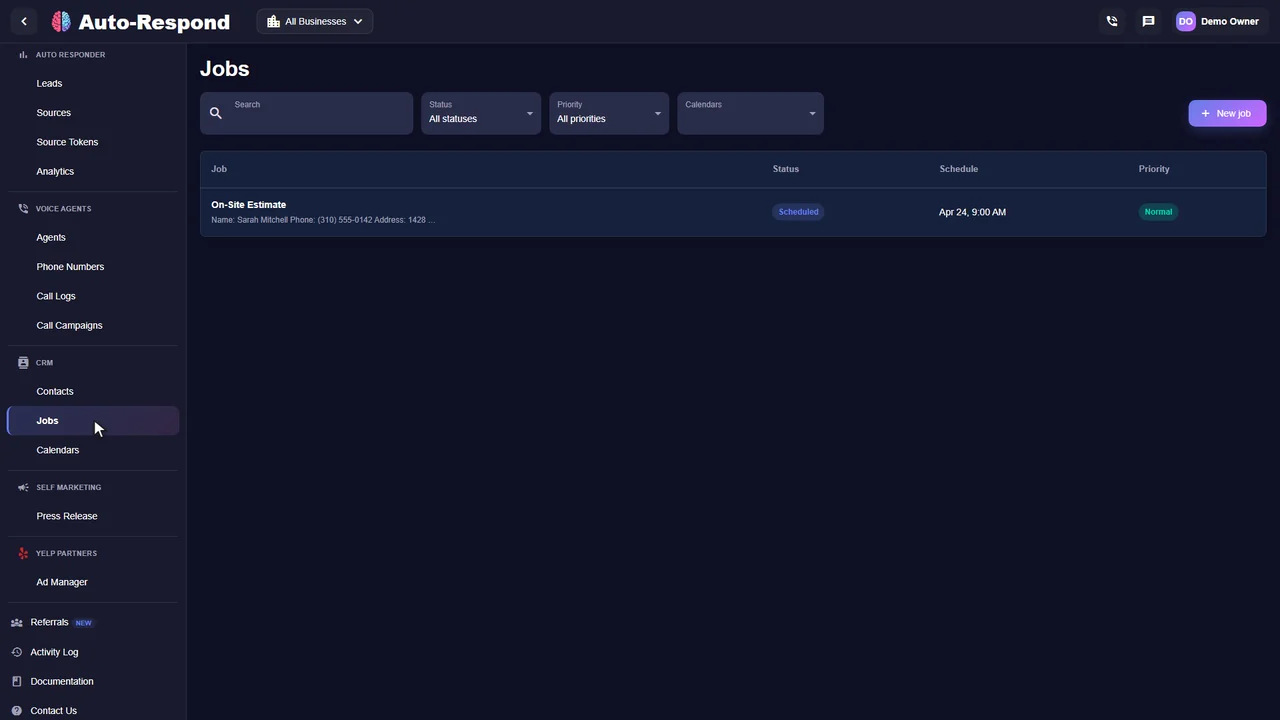
After every call you see who called, what they asked, what the receptionist told them and whether a booking was made, with the recording and transcript one click away. These are real product screens from our demo business.
Know the price before you start
Auto-Respond's AI receptionist is $10 a month per phone number plus $1 per minute of talk time, with no setup fee or contract. See the pricing page for every channel, or our breakdown of what an AI receptionist costs to compare price models.
AI receptionist
Plus $1 per minute of talk time.
See how it works for your business.
Start my free trial No setup fee. No long-term contract.A few things you might be wondering
Setup, calendars, transfers and what callers hear.
Explore the help centerAn AI receptionist is a software phone agent that answers your business calls, qualifies the caller, and books appointments without a human picking up. It works 24/7 and talks with callers from the business details you provide, so callers reach a helpful voice instead of voicemail.
On Auto-Respond, most service businesses go live the same day they sign up. Provision a number, paste in your services and pricing, set up call forwarding from your existing line, and the agent is answering in minutes.
Generic phone bots are trained on nothing in particular. Auto-Respond grounds every answer in your knowledge base - your services, your pricing, your service area, your emergency policy. Callers get accurate answers, not LLM hallucinations.
Pay-as-you-go: $10/month per dedicated phone number, $1/minute for actual call time. For example, 60 calls in a month at 90 seconds each is billed as 120 minutes (each call rounds up to 2), or $130 including the number. No setup fee, no per-call fee, no minimum.
Yes. Auto-Respond connects to Google Calendar and Microsoft 365. The AI checks real-time availability, books the slot, and sends a confirmation text to the caller and a job summary to your phone.
The agent live-transfers. You configure escalation triggers - emergency keywords, high-value job indicators, explicit caller request - and the agent warm-transfers to your cell with a quick spoken summary so you do not start cold.
Most do not realize. The voice sounds natural, responses are instant, and the agent handles interruptions and clarifying questions like a trained human. Where state law requires AI disclosure (California, Florida, others), the agent discloses up front.
Yes - and after-hours is where the math gets compelling. A large share of service-business calls land outside 9-5. Without 24/7 coverage every one of those becomes a voicemail, then becomes a competitor booking.
If a caller only wants to leave a message, the agent takes a structured voicemail with the caller details and immediately texts them a callback link. No "we will call you back" black hole.
Yes. The same Auto-Respond account that runs your AI receptionist also handles Yelp Request a Quote, Thumbtack messaging, Facebook Messenger, Facebook Lead Ads, Instagram DMs, and Google LSA leads. One platform, every supported channel.
Two options: port your number into Auto-Respond, or keep it where it is and forward calls to a new Auto-Respond number. Both work - most businesses start with forwarding because it requires zero downtime.
Every call is recorded, transcribed, and dispositioned. The dashboard shows pickup rate, average call length, qualification accuracy, booking conversion, and live-transfer rate. You can listen to any recording and tweak the persona or knowledge base.
Your next inquiry could be any minute
Built around your business. Ready when your customers are.