
Yelp Business Automation Tools

The core Yelp business automation tools are a Yelp source connection with an AI inbox (a Yelp auto responder), a missed-Yelp recovery flow that re-engages leads who go quiet, and a calendar connection that books real open slots. In Auto-Respond all three are part of setup, at $99 per month per connected Yelp source.
This is part of our complete Lead Response Automation guide for service businesses.
The minimum setup is a Yelp source connection, missed-Yelp recovery flow, and calendar OAuth. Auto-Respond creates a job-specific response for every Yelp inquiry in under 2 seconds, built from your services, price ranges, and availability.
Live tonight. Try Auto-Respond free and start the back-fill sweep on your dormant Yelp leads the day you connect.
The Minimum-Viable Yelp Stack
| Tool | Cost | Setup | What It Does |
|---|---|---|---|
| 1. Yelp source + AI inbox | $99/month | Part of setup | Creates a job-specific Yelp response in under 2 seconds |
| 2. Missed-Yelp recovery flow | Bundled | Part of setup | Re-engages leads that go quiet |
| 3. Calendar OAuth (Google/Cal.com) | Bundled | Part of setup | Books real open slots live |
| Total minimum-viable | $99/month | Under 2 minutes | Under-2-second Yelp responses, recovery, and booking |
Optional add-ons: voice agent ($10/month per number + $1/min) for callback completion, Thumbtack ($99) for cross-channel coverage.
Deploy Timeline (Under 2 Minutes)
| Step | Action | Result |
|---|---|---|
| 1 | Sign up | Account live |
| 2 | Connect Yelp via OAuth | Inbox monitored |
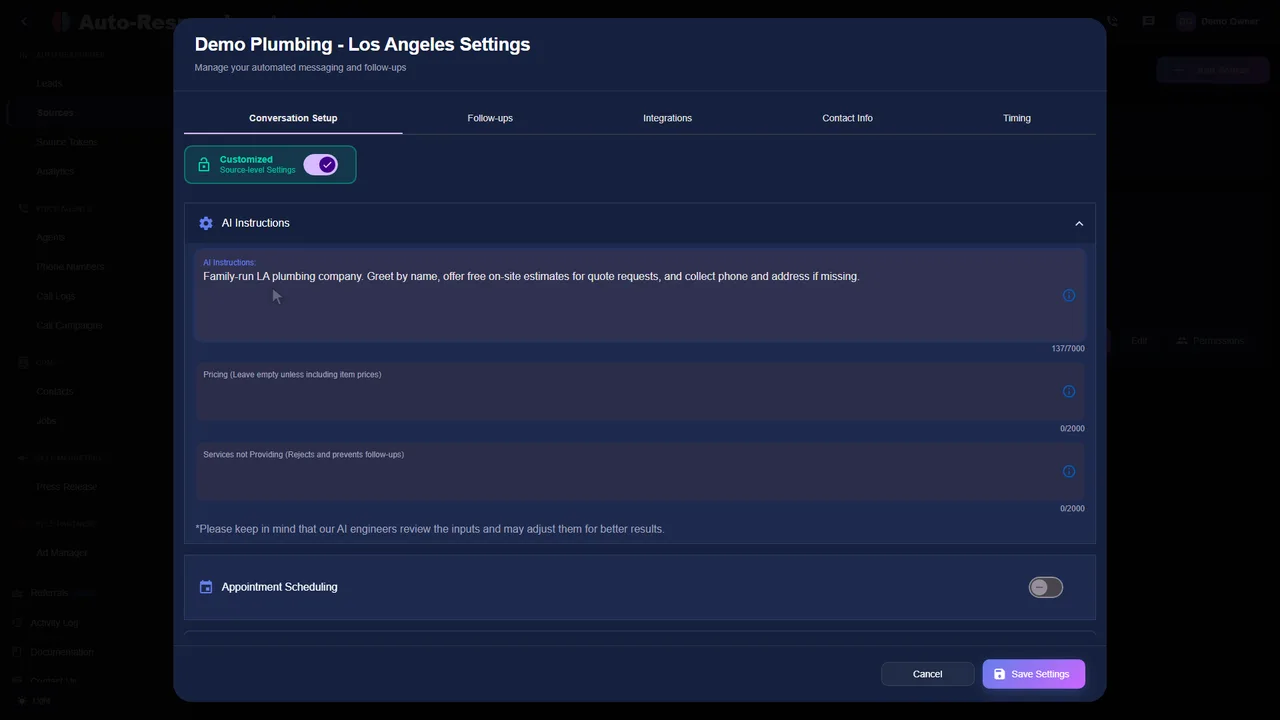
| 3 | Paste service list with prices | LLM ready to quote |
| 4 | Test Yelp inquiry | Job-specific response created in under 2 seconds |
| 5 | Go live | Real Yelp leads hitting |
| On connect | Back-fill recovery sweeps last 7 days | Recovery messages created for dormant leads |
The Missed-Yelp Recovery Flow
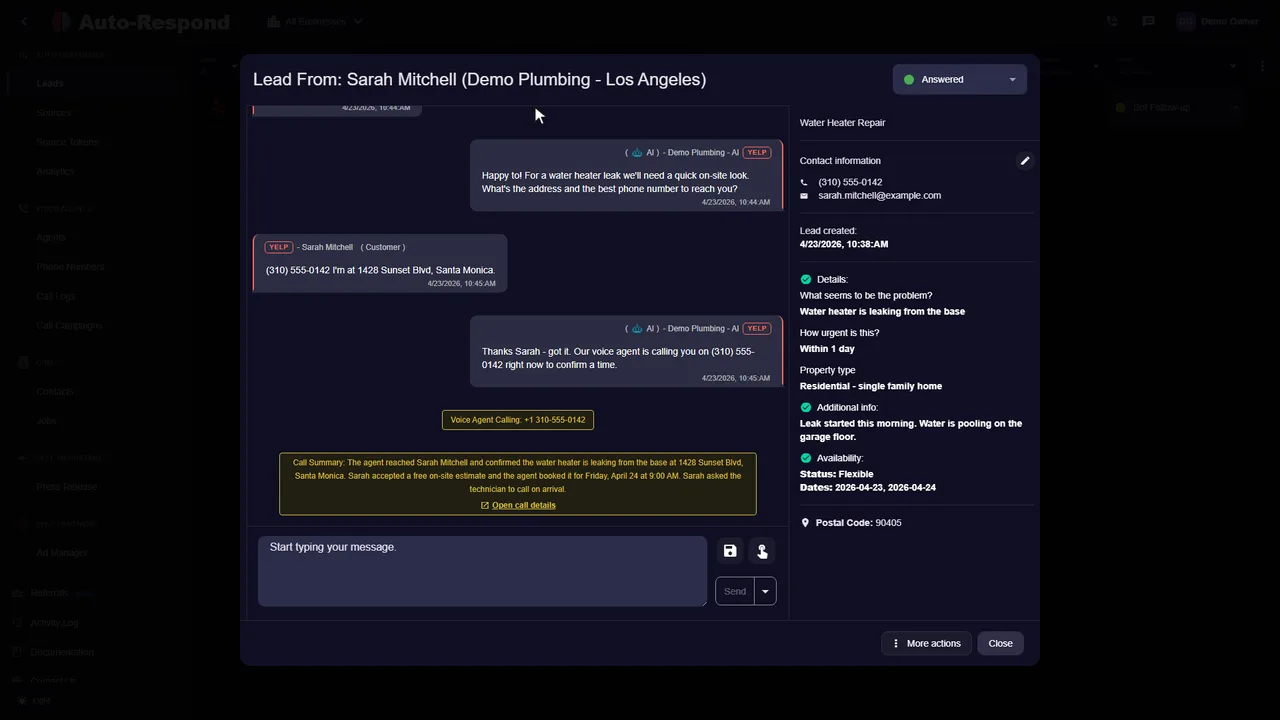
Tuesday 8pm. Customer messages your Yelp profile alongside 4 competitors.
| Touch | Time | AI Action |
|---|---|---|
| 1. AI response | Under 2 seconds | ”Got your message about your water heater. What is the unit age and is it leaking now?“ |
| 2. Silent nudge | 4:00:00 | ”Are you still looking? I have a 6pm slot open tonight.” |
| 3. Close-out | 24:00:00 | ”If you still need help just reply, otherwise we will check back in 30 days.” |
This can re-engage Yelp customers who would otherwise have ghosted a slow manual reply.
ROI Math: 30 Yelp Leads/Month (Illustrative)
This is a worked illustration, not measured data. The point is the shape of the math, not the exact figures, so plug in your own reply rate, booking rate, and job value.
| Metric | Manual | Min-Viable Stack |
|---|---|---|
| Reply time | Stretches to hours | Under 2 seconds |
| Reply coverage | Misses leads when you’re on a job | Every lead, every time |
| Avg job value | $400 | $400 |
| Stack cost | $0 | $99 |
The return comes from converting more of the same Yelp leads. Even one or two extra booked jobs a month covers the $99 cost several times over.
After-Hours Yelp Coverage
| Time Window | Manual Yelp Reply | Min-Viable Stack |
|---|---|---|
| 8am to 5pm | When someone is free | <2 sec |
| 5pm to 9pm | Often hours | <2 sec |
| 9pm to 6am | Next morning | <2 sec |
| Saturday | Often hours | <2 sec |
| Sunday | Often next business day | <2 sec |
The AI does not care what time the Yelp lead lands. It creates the same job-specific response in under 2 seconds for a 2am Yelp lead as for a midday one.
Back-Fill: Right After You Connect
The moment you connect Yelp, the AI sweeps the last 7 days of unanswered messages and creates a recovery message for each one: “Sorry for the slow reply, are you still looking for help with X?” Some of those dormant leads were never going to hear back otherwise. The ones that re-engage and book are revenue recovered before a single new lead arrives, and at a $400 average job a single recovered booking covers the $99 monthly cost.
When to Add Layers
Start minimum-viable. Add layers when these triggers hit.
| Trigger | Add Layer | Cost |
|---|---|---|
| 30+ Yelp leads/month | Voice agent for callbacks | $10/month + $1/min |
| Cross-channel customers | Thumbtack source | $99 |
| Lead volume spike | Facebook Messenger | $49 |
| Running Facebook lead form ads | Facebook Lead Ads | $19 |
| Customers messaging on Instagram | Instagram DMs | $49 |
| Running Google Local Services Ads | Google Local Services Ads | $49 |
| Calendar full | Buffer + lunch blocks | Free |
| Out-of-zone leads | Service zone gate | Free |
Add one layer at a time and measure the change before adding the next.
What the Yelp Automation Tools Cost
| Item | Monthly Cost |
|---|---|
| Yelp source + AI inbox | $99 |
| Missed-Yelp recovery flow | Bundled |
| Calendar OAuth + booking | Bundled |
| Voice agent (optional callback) | $10/month + $1/min |
| Setup, support, transcripts, CRM sync | Free |
Minimum-viable Yelp stack: $99/month. With voice callback (one number plus 20 call minutes, as an example): ~$129/month.
How to Deploy in Under 2 Minutes
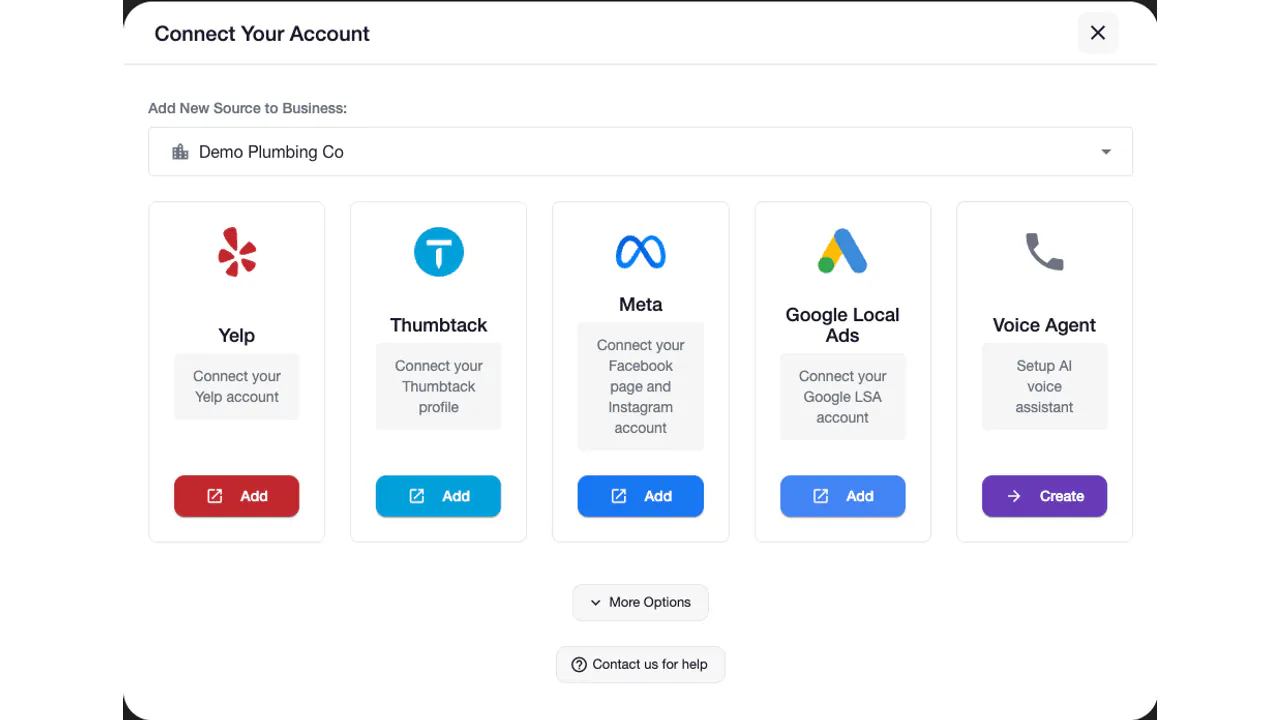
- Sign up and connect Yelp via OAuth. Paste URL, approve handshake.
- Paste your service list with min and max price ranges. Top 10 services.
- Configure the 3-touch missed-Yelp recovery flow. Under 2s, 4hr, 24hr.
- Sync Google Calendar for live Yelp booking. OAuth handshake.
- Run a test Yelp inquiry and go live. Flip the source to live.
Frequently Asked Questions
What is the minimum-viable Yelp automation stack?
Three tools. First, Yelp source connection ($99/month) for inbox monitoring and a job-specific response for every Yelp inquiry in under 2 seconds. Second, missed-call SMS recovery for the phone callback flow. Third, calendar OAuth for live booking.
How fast can I deploy Yelp automation tools?
The software setup takes under 2 minutes. Yelp authorization and third-party availability can affect activation. Once connected, the AI creates a job-specific response for every new Yelp inquiry in under 2 seconds.
What is the missed-Yelp recovery automation?
A 3-touch flow. The AI creates a job-specific response in under 2 seconds with a trade-tuned qualifier question, then generates a 4-hour nudge and a 24-hour close-out message for Yelp leads that go quiet.
What is the ROI on Yelp automation tools?
The potential return comes from covering the Yelp leads you already pay for more consistently. As an illustration only: 30 Yelp leads a month at a $400 average job against $99 in Yelp source cost. A single extra booked job covers the month several times over. Plug in your own conversion rate and lead volume to see your numbers.
Do Yelp automation tools work after hours and on weekends?
Yes. The AI generates a tailored Yelp reply in under 2 seconds at any hour, so a 2am inquiry on a Sunday is covered the same way as a midday one on a Tuesday.
Can Yelp automation tools back-fill leads I already missed?
Yes. On Yelp OAuth connection, the AI sweeps the last 7 days of unanswered Yelp messages and creates a recovery message for each one: “Sorry for the slow reply, are you still looking for help with X?” Some of those dormant leads re-engage and book, so the back-fill can recover jobs the day you connect, before any new lead even arrives.
What if Yelp automation tools get a complex lead they cannot handle?
Leads that need a person end in a structured handoff. The AI captures full context (service requested, urgency, customer location, conversation transcript, qualifying answers, calendar slots offered) and texts you the summary. You jump in with full context and zero scrolling. Other leads can continue with the AI directly: qualify, quote, book, sync to calendar.
What does the Yelp automation tool stack cost?
Minimum-viable: $99/month (Yelp source) plus optional $10/month per number + $1/minute for voice callback recovery. For example, one number ($10/month) plus 20 minutes of talk time ($20) comes to about $129/month total. Setup, support, transcripts, calendar sync, CRM sync, and recovery flows are all included free. No contracts, no setup fees, no usage limits on chat. The return comes from converting more of the same Yelp leads, so even one or two extra booked jobs covers the cost many times over.
Live on Yelp Tonight
Try Auto-Respond free. For setup details and example callback scripts, see the full Yelp auto responder guide.