
Yelp Request a Quote auto-reply: job-specific responses in under 2 seconds

A Yelp Request a Quote auto-reply is a job-specific response created in under 2 seconds for every Request a Quote inquiry, built from your services, price ranges, and availability. Yelp sends the same request to several businesses in your area, so a fast, specific response matters while the customer is still comparing. It is the core job of a Yelp auto responder.
This is part of our complete Lead Response Automation guide for service businesses.
Yelp sends a “Request a Quote” notification to your business. You’re on a job. You reply 3 hours later. By then, the customer already booked someone who responded in 4 minutes.
That scenario is why response time deserves measurement, but speed does not automatically beat price, reviews, availability, or fit. A frequently cited Harvard Business Review study found that faster contact was associated with better lead qualification, but it did not measure Yelp bookings.
Losing Yelp leads to slow replies? Try Auto-Respond free and get a job-specific response for every Request a Quote in under 2 seconds.
Does Yelp reply to Request a Quote messages automatically?
No. Yelp puts three quick-reply buttons under each quote request, but you still open the request, choose a button and write the message yourself. Yelp’s help center also notes that, at this time, the buttons cannot be turned off or customized (Yelp for Business Help Center).
The three buttons and what each one does:
- Send an Estimate and Availability: a price estimate, the times you are available and a personal message.
- Need More Information: request a phone call, request a visit, or ask the customer a question.
- Unable to Service: pick a reason from Yelp’s list and add a message saying why you cannot take the job.
An automatic, job-specific response therefore needs a separate tool. A Yelp auto responder such as Auto-Respond creates one for every Request a Quote in under 2 seconds, with no button to press.
How Yelp Request a Quote Works
A customer finds your Yelp listing, clicks “Request a Quote,” and fills out what they need. Yelp sends you the request via the app, email, and sometimes SMS.
Here’s the problem: Yelp sends the same request to multiple businesses in your area. You’re competing against several other contractors who got the same lead at the same time.
A prompt, useful reply can start the conversation sooner. Yelp does not publish a rule that guarantees a booking or higher organic placement from response speed, so track those outcomes separately.
What the Research Says About Response Time
The public research on lead response time is consistent, and it all points the same way:
- 5 to 30 minutes: you become 100x less likely to contact the lead and 21x less likely to qualify it (MIT, Oldroyd 2007).
- Within an hour vs later: responding within an hour keeps you ~7x more likely to qualify the lead, and ~60x more likely than waiting 24+ hours (HBR, 2011).
The research supports testing a faster workflow. It does not show that waiting an hour automatically hands a Yelp job to the first respondent.
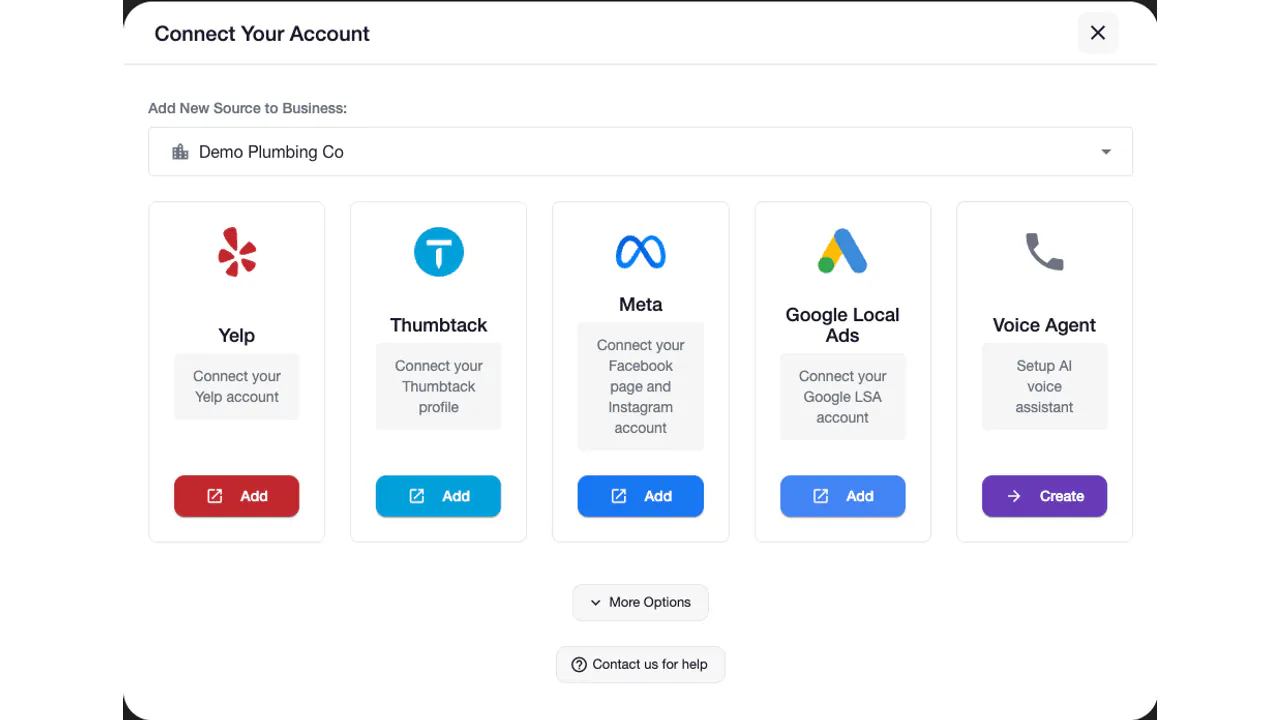
What Auto-Respond Does With Yelp Quotes
Auto-Respond monitors your Yelp Request a Quote inbox. When a new request comes in:
- AI reads the quote details (service type, timing, location)
- Creates a personalized, job-specific response in under 2 seconds
- Builds it from your services, price ranges, and availability, with a clear qualifying question
The result is a relevant response instead of a generic “Thanks for reaching out.”
Can the reply include a price estimate?
Yes. The response is built from the services and price ranges you enter, so a quote request for a service you have priced gets your own range for that job in under 2 seconds, together with a qualifying question. The customer sees a real number to compare instead of “it depends.”
Yelp’s own Send an Estimate and Availability button takes a price in three forms: a flat rate, a range or an hourly rate. Whichever form you use, the estimate in the first reply works best when it is one you would stand behind on site:
- Keep the range honest. A range so wide it covers every job tells the customer nothing; one that only shows the lowest price sets up a surprise later.
- Say what moves the price. Naming the factors (size, access, parts, urgency) lets the customer place their own job inside the range.
- Update it when your prices change. The response can only be as accurate as the prices you entered.
For trade-specific examples, see how quote replies work for a plumbing business and a cleaning business.
Why Generic Auto-Replies Don’t Work on Yelp
Some businesses set up a canned response: “Thanks for your interest. We’ll get back to you soon.”
That’s better than nothing. But customers can tell it’s automated, and “soon” doesn’t tell them when. They keep searching.
Auto-Respond creates contextual responses based on the request and the facts the business configured. A plumbing request can use different service details from a drain-cleaning request.
Does Yelp Response Time Affect Your Ranking?
Yelp may display response-related information, but it does not publish a guaranteed organic-ranking formula or promise more quote requests for a specific response time. Track the business outcomes you can verify: first-response time, reply rate, qualified conversations, and bookings.
Auto-Respond creates job-specific responses around the clock, in under 2 seconds for every Yelp inquiry.
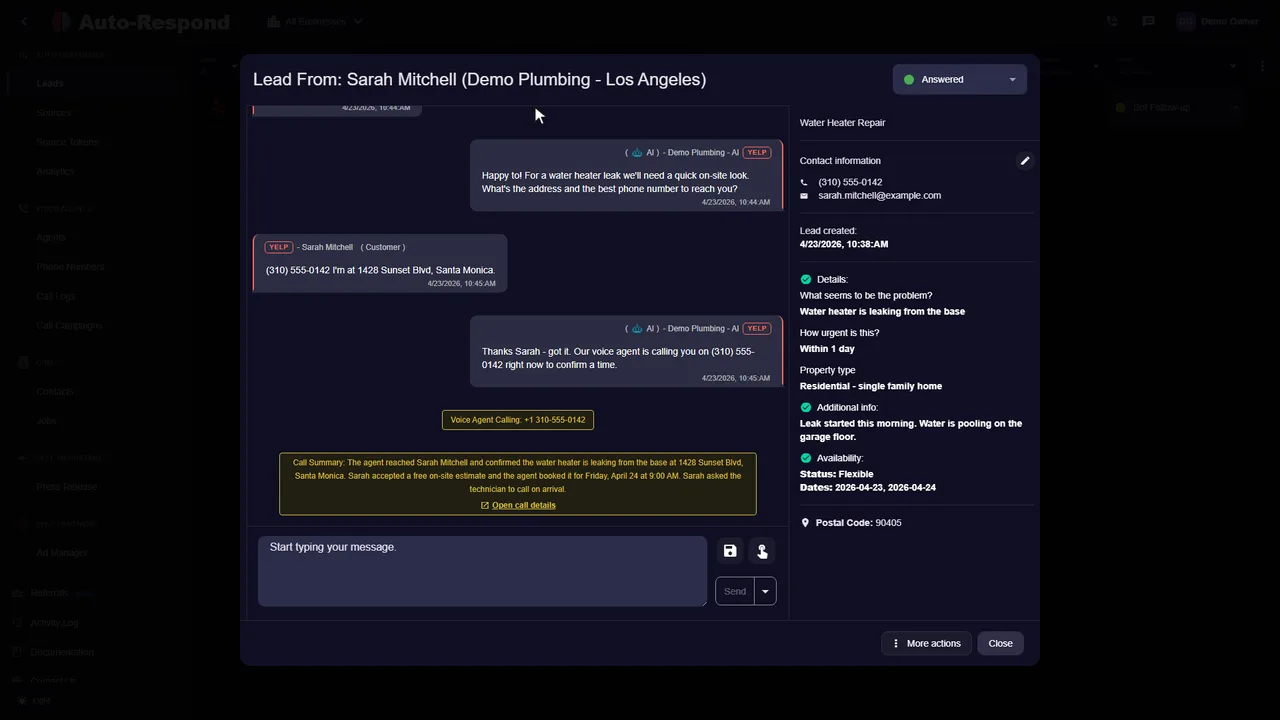
On a job when the quote request arrives
If quote requests land while you are on a job and the customer has hired someone else by the time you reply, fix the first minutes, not your whole day. You need to know a request arrived, and the customer needs a useful answer before you can give one yourself:
- Turn on Yelp’s email and push notifications. Yelp asks businesses to enable both, and the Yelp for Business app is its recommended place to reply, so a request never waits for you to check a laptop.
- Let an auto responder create the first response. Auto-Respond creates a job-specific response the instant the lead lands, built from your services, price ranges and availability, so the customer has an answer while still comparing.
- Add a voice callback for customers who share a number. When voice callback is enabled and a callable number comes in with the lead, the AI calls instantly to qualify the job.
- Pick up the conversation when you are free. Reply from the Yelp app or the Yelp for Business website. Answering by email works only for the first reply to the initial request; after that Yelp moves the conversation to your inbox.
Do not let requests sit for days. Yelp disables messaging if you do not reply within 7 days of receiving a new message and have not replied to any message in 30 days; to turn it back on, find the unread messages and mark them as replied. The Yelp response speed guide shows how to measure your own reply times.
After-Hours Yelp Quotes
A large share of Yelp quote requests come in after 6pm or on weekends. Without automation, those sit until the next morning. The customer may have booked someone else by then.
Auto-Respond generates a tailored Yelp reply in under 2 seconds at any hour, built from your services, price ranges, and availability.
Try Auto-Respond free and test whether job-specific responses created in under 2 seconds improve your own Yelp response and booking metrics.